Good home CCTV camera installation is less about buying many cameras and more about covering the right spots. Most apartments need two to four cameras and most independent houses need four to eight, placed at the gate, entrances, parking and any blind side of the building. This guide walks you through counting cameras, choosing locations and selecting the recorder, cabling and storage that suit Indian homes.
How Many CCTV Cameras Does a Home Need?
Start from entry points rather than rooms. Every way someone can enter your property should be visible on at least one camera, ideally with a clear view of faces.
| Apartment flat | Independent house / villa | |
|---|---|---|
| Typical count | 2 to 4 cameras | 4 to 8 or more cameras |
| Must-cover areas | Main door, corridor, balcony if accessible | Gate, main door, parking, side passages, back door, terrace |
| Camera type | Indoor dome or compact cameras | Outdoor bullet and dome cameras, IP66 or better |
| Recorder | Small 4-channel recorder or cloud/SD cameras | 8 or 16-channel DVR or NVR |
Where to Place Cameras Around Your Home
Outdoor positions
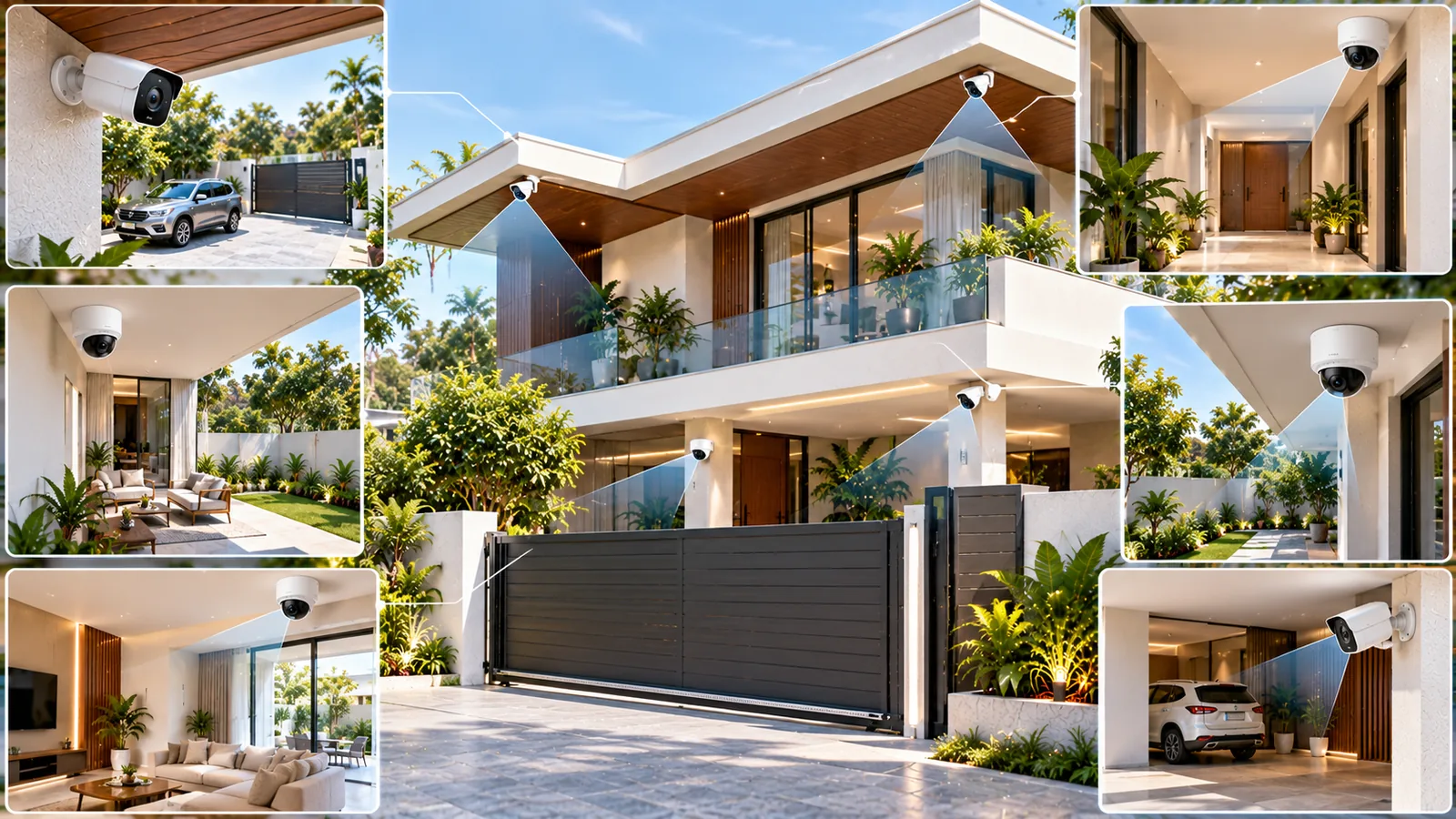
- Main gate: one camera for vehicles and a wider view of the road, ideally another at face height for visitors.
- Car porch or parking: covers vehicles and anyone approaching the house.
- Main door: placed slightly above head height, angled down to capture faces.
- Side and back passages: often ignored, but common routes for intruders in independent houses.
- Terrace access: useful where neighbouring buildings are close together, as in many city plots.
Indoor positions
- Living room or hall, covering the main entrance from inside.
- Staircase or corridor connecting floors.
- Avoid bedrooms and bathrooms for privacy reasons.
Mounting Height, Angle and Lighting
Cameras mounted too high capture only the tops of heads. A height of roughly 2.5 to 3 metres is a good balance between face capture and protection from tampering. Avoid pointing cameras directly at the sun, bright streetlights or reflective glass, which wash out the image. For gates facing west, a camera with good wide dynamic range handles harsh evening sunlight better.
At night, infrared cameras give black-and-white images, while colour night-vision cameras use a small white light or sensitive sensors to show colour. Colour helps identify clothing and vehicles, but the light can attract insects in humid Tamil Nadu evenings, so placement matters.
DVR vs NVR, PoE and Cabling
Analogue HD cameras connect to a DVR using coaxial cable, with separate power. IP cameras connect to an NVR, usually with a single network cable that carries both data and power through PoE (Power over Ethernet). IP systems generally offer higher resolution and smarter detection, while DVR systems can be a practical upgrade path when coaxial cabling already exists.
- Run cables through conduit to protect them from rodents, sun and rain.
- Use outdoor-rated junction boxes at each camera to keep water out of connectors.
- Keep the recorder in a cool, ventilated, locked spot — not a hot loft or the open hall.
- Connect the recorder, PoE switch and router to a UPS or inverter so recording continues during power cuts.
Storage, Recording and Remote Viewing
How many days of footage you keep depends on the number of cameras, resolution, compression and hard disk size. Motion-based recording stretches storage further than continuous recording. Use a surveillance-grade hard disk designed for constant writing.
- 1Decide how many days of footage you want to keep.
- 2Choose resolution per camera — higher for gate and entrance, standard for passages.
- 3Enable smart motion or human detection to reduce useless alerts.
- 4Set up the mobile app with a strong password and two-step verification where available.
- 5Change default passwords and update recorder firmware periodically.
Once the system is running, a little routine care keeps it dependable. Wipe outdoor camera domes and lenses every few weeks, since dust, cobwebs and salt film blur the image, especially near the coast. Check the recorder’s disk status and playback once a month so you discover a failing drive before you actually need the footage. If a camera or the recorder shows a fault, do not open the unit or its power supply yourself; call a technician.
Professional Home CCTV Camera Installation with Sensor
Getting coverage right the first time saves you from moving cameras and re-running cables later. Sensor Home Automation offers a free site visit to plan camera count, positions, cable routes and power backup for your home. Our own team handles the home CCTV camera installation, configures the recorder and mobile app, tests day and night images, and shows your family how to view and export footage. We provide ongoing support and maintenance for homes in Chennai, Salem and across Tamil Nadu.
Frequently asked questions
How many CCTV cameras are enough for a home?
Most apartments manage with two to four cameras, while independent houses and villas usually need four to eight. The right number depends on how many entry points, gates and blind spots your property has.
What is the best height to install a CCTV camera at home?
Around 2.5 to 3 metres works well for most homes. It is high enough to deter tampering and low enough to capture faces clearly.
Should I choose a DVR or NVR for home CCTV installation?
An NVR with IP cameras suits most new installations because it offers higher resolution, smarter detection and single-cable PoE wiring. A DVR can make sense when good coaxial cabling is already in place.
Will my CCTV record during a power cut?
Only if the recorder, cameras and network equipment are on a UPS or inverter. This should be planned at the time of installation so there are no recording gaps.
Related service: Security Systems — see how Sensor plans, installs and supports it across Chennai, Salem and Tamil Nadu.