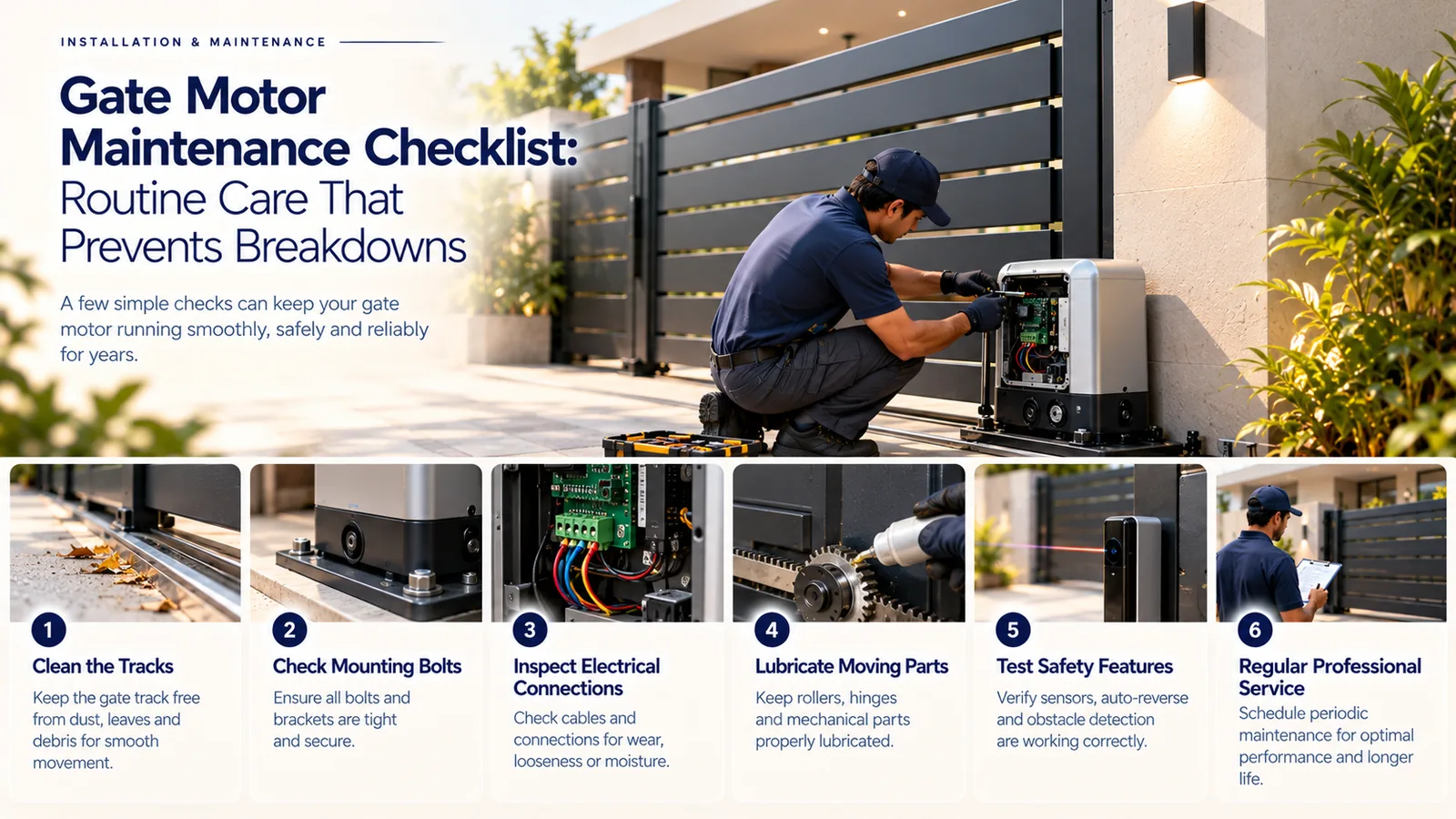
Most automatic gate breakdowns start as small problems: a dirty track, a misaligned photocell, a weak remote battery or a gate that has started to drag. Regular gate motor maintenance catches these early. The routine is simple — a few safe checks you can do yourself every month, and a periodic service by a qualified technician for anything inside the motor or control box.
This checklist is written for Tamil Nadu conditions, where heat, dust, coastal salt air and the monsoon all work against outdoor equipment.
Why Gate Motor Maintenance Matters
A gate motor is designed to move a gate that already moves freely. When rollers wear, hinges rust or debris builds up in a track, the motor has to push harder. That extra load strains gears, heats the motor and can trigger obstacle detection so the gate stops and reverses for no visible reason. Keeping the gate itself in good shape is the single biggest thing you can do for the motor.
- Fewer unexpected stoppages, especially at busy times of day
- Safety devices that actually work when someone steps into the opening
- Less strain on gears, rack and arms, which slows wear
- Early warning of corrosion or water entry before it causes a fault
Monthly Checklist: Safe Checks You Can Do
These checks need no tools and no opening of covers. Switch the gate to a stop position or keep everyone clear while you look.
- 1Watch the gate open and close fully. Listen for new grinding, clicking or straining sounds.
- 2Check that it stops at the same open and closed positions each time.
- 3Wipe the photocell lenses with a soft dry cloth and make sure plants or objects are not blocking the beam.
- 4Test the photocells: with the gate closing, pass a soft object such as a cardboard box through the beam. The gate should stop or reverse.
- 5Clear leaves, stones, sand and plastic from the sliding track or the swing path.
- 6Look for rust on hinges, the gate frame, the rack and the motor base.
- 7Check that remotes work from a normal distance; a shorter range often means a weak battery.
- 8Make sure the area around the motor is free of grass, ant nests and standing water.
Seasonal Care for Tamil Nadu Weather
Before the monsoon
Clear drainage near the gate and check that water does not pool around the motor base. Look at cable entry points and conduit ends for gaps. If your plot floods in heavy rain, ask your installer whether the motor needs raising or extra protection.
Summer heat and dust
Dust builds up on sliding tracks and photocell lenses quickly in dry months. Clean them more often. Direct sun can also make plastic covers brittle over the years, so note any cracks.
Coastal areas
Salt air near the coast speeds up corrosion on steel gates, racks and fasteners. Rinse and wipe exposed metal parts more often and ask for rust treatment during service visits.
What a Professional Gate Motor Service Covers
Anything that involves the motor housing, control board, wiring or mains supply is technician work. Do not open the motor cover or control box yourself — they carry mains voltage and the settings affect safety.
| Homeowner (monthly) | Technician (periodic service) | |
|---|---|---|
| Cleaning | Track, path, photocell lenses | Inside housing, gears, limit switches |
| Safety | Photocell test with a box | Force and obstacle-detection calibration |
| Mechanical | Look for rust and loose parts | Rack alignment, gear wear, hinge and roller service |
| Electrical | None — report problems | Wiring, terminals, earthing, control board, battery backup |
| Lubrication | Not required unless shown at handover | Correct grease or oil on the right parts |
Warning Signs to Act On Quickly
- The gate stops and reverses midway without any obstruction
- It moves slower than usual or hesitates when starting
- Loud grinding, knocking or a burning smell
- The gate shakes, jumps on the track or leaves the rack
- Water or insects inside visible covers, or a tripping breaker
- Remotes work only from very close even after a battery change
If you notice any of these, switch to manual operation using the release you were shown at handover and call for service rather than forcing the gate to keep running.
Gate Motor Maintenance Support from Sensor
Routine checks keep a gate reliable, and a periodic professional service keeps it safe. Sensor Home Automation provides ongoing support and maintenance for gate automation across Tamil Nadu, with our own technicians working from Chennai and Salem. Reach us Monday to Saturday, 9 AM to 7 PM, on +91 95975 75785 or +91 95975 75712, or email support@sensorhomeautomation.in to schedule a service visit.
Frequently asked questions
How often should a gate motor be serviced?
Do the simple homeowner checks monthly and arrange a professional service periodically, and more often for busy apartment or commercial gates. Your installer can suggest an interval based on how often the gate runs and your site conditions.
Can I oil or grease my gate motor myself?
Avoid it unless your installer showed you exactly what to lubricate and with what. The wrong product can attract dust or damage plastic parts, and the motor housing should only be opened by a technician.
Why does my gate reverse on its own?
Common causes include a dirty or blocked photocell, debris in the track, or a gate that has become stiff and triggers obstacle detection. Clean the lenses and clear the path; if it continues, call a technician to check alignment and force settings.
Does gate motor maintenance need to change during the monsoon?
Yes. Clear drainage near the gate, keep water away from the motor base and watch for water at cable entries. Report any tripping breaker or water inside covers to a technician straight away.
Related service: Support — see how Sensor plans, installs and supports it across Chennai, Salem and Tamil Nadu.